MyFitnessPal dominated calorie tracking for over a decade. Then it moved its most-used features behind a paywall, and millions of users started looking for alternatives. If you are one of them, this is the straightforward comparison you need.
We evaluated six apps on the criteria that actually matter for long-term use: free tier quality, logging friction, accuracy, and whether they cover both nutrition and training. No affiliate links. No paid placements.
This is the feature-by-feature buying guide. If you specifically want community opinions, see what Reddit recommends instead of MyFitnessPal. If you are researching complaints before switching, read the most common MyFitnessPal problems.
Quick answer
Cronometer wins on free-tier accuracy, Lose It! is the easiest low-friction switch, and PonteFuerteAI is the pick if you want workout tracking bundled with nutrition instead of running two separate apps. All six are covered in detail below with no affiliate bias.
The 6 Best MyFitnessPal Alternatives Compared
| App |
Free tier |
Logging method |
Workout tracking |
Price (premium) |
| Cronometer |
Full |
Manual / barcode |
Basic |
$9.99/month |
| Lose It! |
Limited |
Manual / photo / barcode |
None |
$9.99/month |
| MacroFactor |
Trial only |
Manual / photo |
None |
$12.99/month |
| Noom |
Trial only |
Manual |
None |
~$60/month |
| Lifesum |
Very limited |
Manual / barcode |
None |
$9.99/month |
| PonteFuerteAI |
Full |
AI photo |
Full + AI programs |
Free |
1. Cronometer — Best for Micronutrient Accuracy
Best for: People who want detailed micronutrient data, not just calories and macros.
Cronometer's database is more carefully verified than MFP's, which relies heavily on user-submitted entries that often contain errors. The free tier is genuinely functional — no barcode paywall, no hidden limits on core tracking. If you care about getting accurate data on vitamins, minerals, and micronutrients alongside macros, Cronometer is the clear choice.
Main limitation: No workout programming, no photo logging, steeper learning curve than MFP.
2. Lose It! — Best Direct MFP Replacement
Best for: People who want the closest experience to what MFP was before the paywall changes.
Lose It! has a clean interface, a solid food database, barcode scanning, and photo meal logging. Its free tier is more limited than Cronometer's but more functional than MFP's current free version. If you were a power MFP user and want minimal adjustment, Lose It! is the least-friction switch.
Main limitation: No workout tracking. Premium required for full database access and advanced features.
3. MacroFactor — Best for Serious Dieters
Best for: Intermediate to advanced users who want data-driven, adaptive calorie targets.
MacroFactor's standout feature is its algorithm: it adjusts your calorie targets based on your actual weight trend over time rather than a static TDEE estimate. If your weight loss stalls, it recalculates. This is genuinely smarter than MFP's fixed-target approach. It also has photo logging and a clean interface.
Main limitation: Subscription only (~$12.99/month), no free tier after the trial. No workout tracking.
4. Noom — Best for Behavioral Change
Best for: People whose primary challenge is psychological, not practical.
Noom focuses on the psychology of eating rather than precise calorie counts. It uses coaching, lessons, and habit-building frameworks. This approach genuinely helps some people who have failed with traditional trackers. However, it is expensive (~$60/month), requires significant daily engagement, and has no gym tracking.
Main limitation: Very expensive. Not for people who want simple, fast tracking.
5. Lifesum — Best Looking App
Best for: People who value design and meal inspiration over data precision.
Lifesum has the most polished design of any calorie app and offers meal plans and diet "plans" (keto, Mediterranean, etc.) as guides. However, its free tier is extremely limited and the food database is smaller than MFP or Cronometer. Not a serious competitor on data quality.
Main limitation: Thin free tier, smaller database, less accurate than Cronometer or MacroFactor.
6. PonteFuerteAI — Best for Gym-Goers Who Want Everything Free
Best for: People who train and want nutrition + workout tracking in one free app.
Every app above is nutrition-only. PonteFuerteAI is the only option that combines calorie and macro tracking with full workout logging and AI-generated training programs — and it is free.
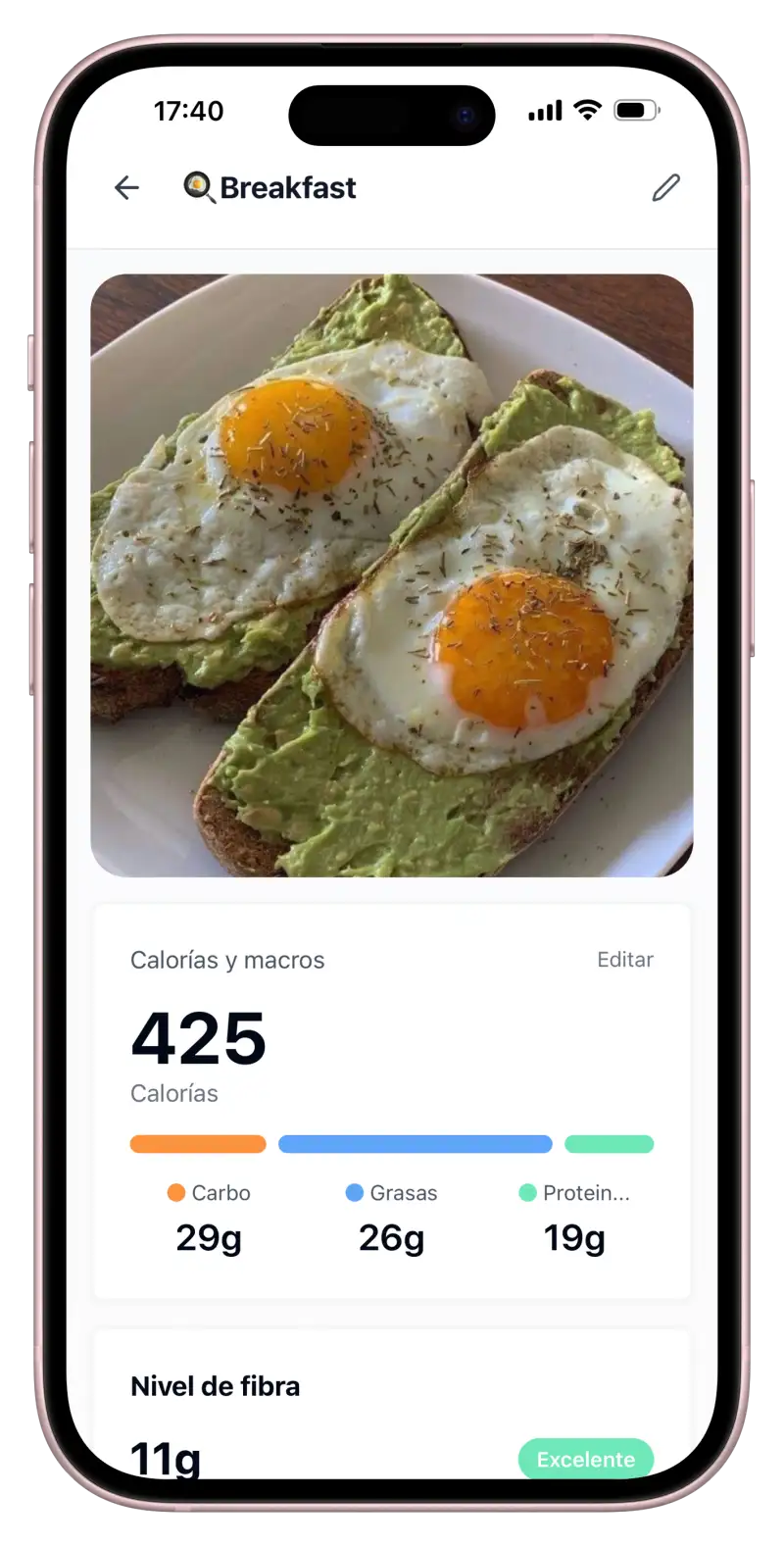
The practical difference from other apps: instead of searching a database, you photograph your meal and the AI logs the macros. Instead of importing a program from a PDF, the AI generates one based on your goals and equipment. For people who are tired of juggling a nutrition app and a workout app and paying for both, this solves both problems at once.
It is not the best option if micronutrient granularity is your priority (Cronometer wins) or if you want MacroFactor's adaptive algorithm. But for most people switching from MFP who also train, it covers both sides that MFP never did.
Which One Should You Choose?
- I want the closest thing to old MFP, free: Cronometer (full free tier) or Lose It! (cleanest interface)
- I want the most accurate calorie targets: MacroFactor
- My problem is habits, not logging: Noom
- I want nutrition AND workout tracking, free: PonteFuerteAI
- I just want something beautiful: Lifesum (budget for premium)
Frequently Asked Questions
What is the best free MyFitnessPal alternative?
Cronometer has the most complete free tier for nutrition tracking with no core features paywalled. PonteFuerteAI is the best free option if you also want workout tracking — it combines calorie/macro logging with AI-generated strength programs.
Is Cronometer better than MyFitnessPal?
For data accuracy, yes. Cronometer's food database has more carefully verified entries and tracks a wider range of micronutrients. For ease of use as a casual calorie counter, MFP (paid) was historically better. Cronometer's free tier now clearly beats MFP's free tier.
Is there a MyFitnessPal alternative that also tracks workouts?
PonteFuerteAI is the only option among major alternatives that integrates full workout tracking (sets, reps, weights, progressive overload) with calorie and macro logging. All other alternatives in this list are nutrition-only.
Is MacroFactor worth the price?
For serious dieters who want adaptive calorie targets, yes. MacroFactor at ~$13/month is priced similarly to MFP Premium but offers a smarter algorithm. If you have stalled on a fixed-calorie approach before, MacroFactor's adaptive system is worth trying.