Personal trainer & software developer · 2025-06-27
If you're reading this, you might be looking to cancel your subscription to Fitia or want to know more about the process. Whether you're tired of the service, looking to save money, or simply want to explore other options, this guide will walk you through the steps to cancel your Fitia subscription easily and efficiently. By the end of this article, you'll have a clear understanding of how to cancel your subscription and what steps to take if you encounter any issues.
Quick answer
To cancel Fitia, go to where you originally paid: on iPhone, Settings > your name > Subscriptions; on Android, Google Play > Payments & subscriptions. Deleting the app from your phone does not stop the recurring charge.
How to Cancel Fitia: Step-by-Step Instructions
Here is the exact process to cancel your subscription. Remember: deleting the app from your phone will not cancel your subscription. You must cancel it through the platform where you originally paid.
1. Canceling on iPhone or iPad (through the App Store)
If you subscribed using your Apple ID, this is the only way to cancel:
Open the Settings app on your device.
Tap on your name/Apple ID at the top.
Select "Subscriptions".
Find the Fitia subscription in the list and tap on it.
Tap "Cancel Subscription" and confirm.
2. Canceling on an Android Device (through Google Play Store)
For Android users who subscribed via Google Play:
Open the Google Play Store app.
Tap your profile icon in the top-right corner.
Go to "Payments & subscriptions" and then select "Subscriptions".
Find the Fitia subscription and tap on it.
Selecciona "Cancel Subscription" y sigue las instrucciones.
3. Canceling Through the Fitia Website
If you subscribed directly through Fitia's website:
Visit the Fitia website and log into your account.
Navigate to your profile or account section, usually called "Manage Subscription" o "Manage Subscription".
Sigue las instrucciones en pantalla para proceder con la cancelación.
Additional Tips for a Smooth Cancellation Process
1. Confirm Your Subscription Status
Before canceling, make sure your subscription status is correct. You can check this through your app's settings or the respective app store.
2. Check for Any Remaining Days
Some subscriptions offer a grace period. Make sure to check if there are any remaining days before your subscription expires.
3. Save Your Receipts
Keep a record of your subscription receipts. This can be useful if you need to dispute charges or if you have any questions later.
4. Contact Customer Support
If you face any issues during the cancellation process, don't hesitate to contact Fitia's customer support. They can help you through the process and resolve any problems.
What to Do If You Face Any Issues
Sometimes, the cancellation process might not go as smoothly as expected. Here are some steps to take if you encounter any issues:
1. Check for Errors
Ensure you've followed all the steps correctly.
Double-check your profile and subscription settings.
2. Contact Customer Support
If you're still having issues, reach out to Fitia's customer support.
Provide them with your receipt and any relevant information.
3. File a Complaint
If the issue persists, consider filing a complaint with the app store or relevant consumer protection agency.
4. Explore Other Options
Consider other fitness apps or services that might better suit your needs.
Read reviews and compare features to make an informed decision.
You've Cancelled Fitia. Now What? Finding an App That Actually Works
Congratulations, you've taken the first step toward finding a better solution. But what should you look for next? The biggest reason people fail with traditional fitness apps isn't a lack of effort—it's decision fatigue.
The constant mental load of figuring out what to eat, what workout to do, and how to track it all is exhausting. The best alternative isn't just another food log or a different set of workout videos. It's an intelligent system that does the thinking for you.
This is where a true AI coach changes the game. Instead of you telling the app what you did, the app tells you what to do next. If this approach sounds like the solution you've been looking for, you might be interested in our deep-dive analysis of why traditional methods often fall short:
The Pontefuerteai Difference: From a Passive Tracker to an Active Coach
While you explore your options, consider what a next-generation AI platform like Pontefuerteai offers to solve the exact problems that lead users to cancel apps like Fitia:
Truly Personalized Plans: Our AI doesn't use templates. It analyzes your unique data to build your meal and workout plan from scratch.
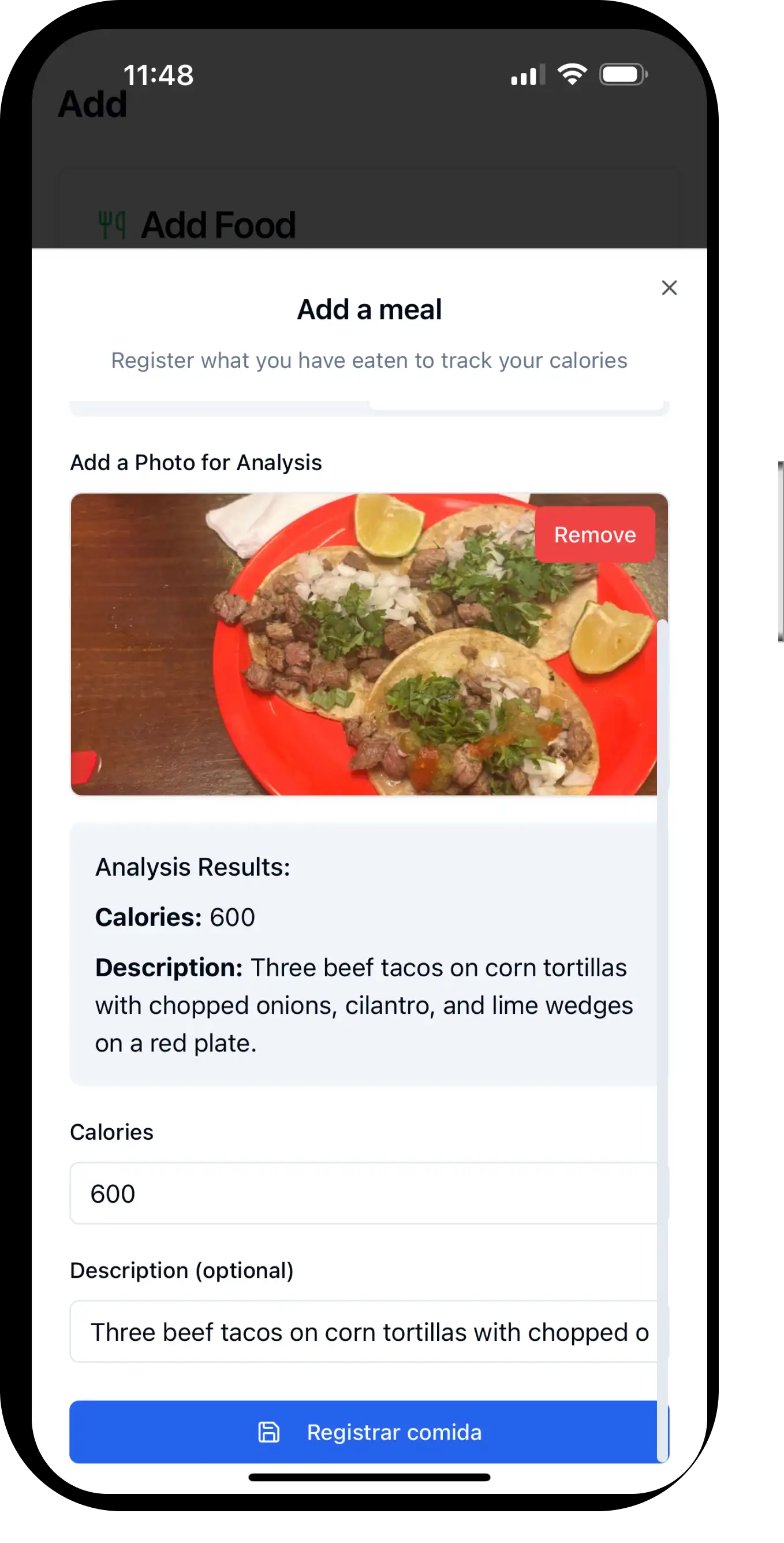
Effortless Calorie Tracking: Stop the manual search. Just snap a photo of your meal, and our AI logs the calories for you. We remove the biggest point of friction.
An Integrated System: Your nutrition plan is automatically synced with your workout plan. The AI knows that what you eat affects your performance, and vice versa.
Intelligent Progression: The app automatically adjusts your workouts as you get stronger, ensuring you never plateau.
If you're ready to stop being a food accountant and start following a clear, effective plan built just for you, your search might be over.
Conclusion
Canceling your Fitia subscription is easy, but finding the right replacement is what truly matters for your long-term success. Don't jump into another app that just repeats the same frustrating cycle of manual tracking and generic advice. Take this opportunity to upgrade your entire approach to fitness.
Ready for a smarter system? See how Pontefuerteai's AI coach can build your personalized plan today.
Personal trainer · Software developer · Founder of PonteFuerteAI
Over 10 years of training experience across three continents. Certified personal trainer who coached clients in Spain, India, and Japan before building PonteFuerteAI — the all-in-one AI fitness app he always wished existed.
Compare seven strength training apps for women over 50, including personalized plans, human coaching, home and gym options, progressive overload, nutrition, and free starting points.
Compare seven AI meal planning apps for personalized menus, calorie and macro targets, grocery lists, family planning, recipe discovery, and fitness integration.
We pulled the active 2026 threads on r/workout, r/beginnerfitness, and r/GYM to see what people are really recommending — not a generic list, real threads with links.